
Digital Wall Calendars and Co-Parenting: Skylight, Etc.
A digital wall calendar, like Skylight or Cozyla, is the new must-have tool for families. It can be amazing for divorced or separated families as it gets both households on one page. Even if just one parent has a smart calendar, it can help the kids feel secure by giving them quick access to the parenting schedule at that home.
For many co-parents, a digital family calendar beats handwriting your custody schedule on a calendar or making a schedule with a spreadsheet. But this new tech brings up questions. What's the best way to enter your parenting schedule? And how can you get your family to actually use a digital calendar display?
Adding your custody schedule
You have two options for entering your custody schedule: import it from another calendar service or make it from scratch with your digital wall calendar.
Option 1: Import from Custody X Change or another calendar app
You might prefer to import your schedule because:
- You'll save setup time if you've already created your schedule in another calendar app.
- Your co-parent will be able to view the schedule in the other calendar app (in case they don't have a smart calendar).
- You'll get to take advantage of a calendar designed for co-parenting, like Custody X Change.
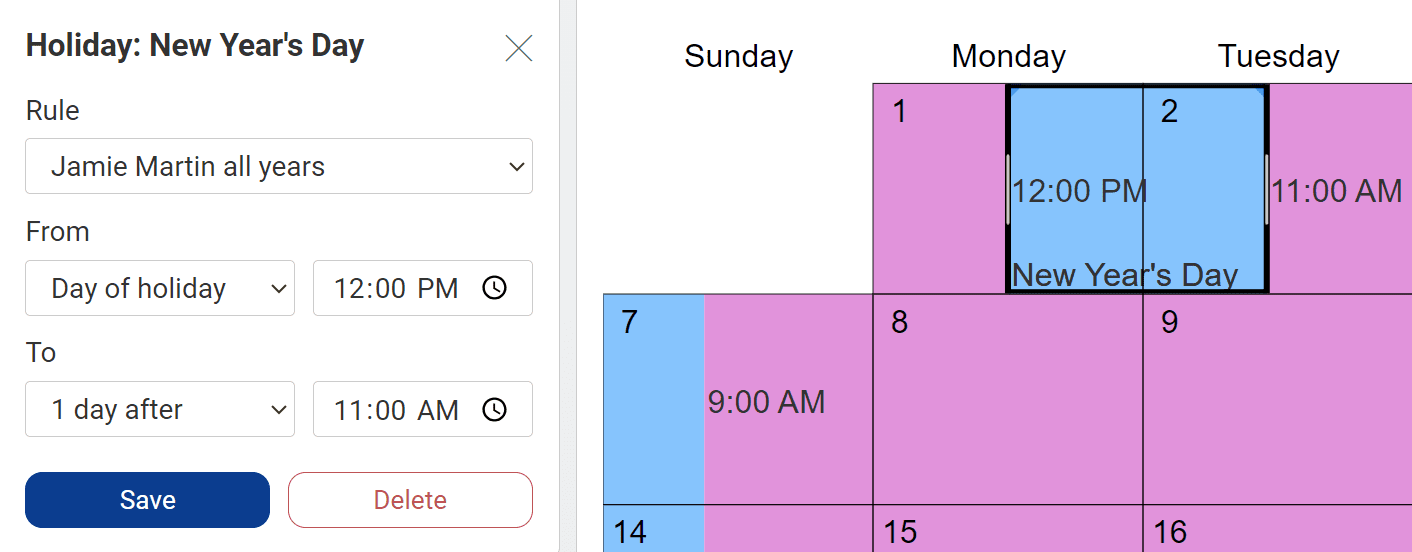
With Custody X Change, you can quickly create complex parenting schedules, complete with holidays. You can also calculate parenting time. Plus, if you link with the other parent, you get notified when they make a schedule change.
 Try this with Custody X Change.
It's easy to import your Custody X Change schedule into your smart calendar. Just copy your Custody X Change calendar URL, then paste it where your smart calendar tells you to.
You can import one parent's time or both. Each event will be titled with the parent's name, the type of event (e.g., regular or holiday), then the name of the event. Here's an example of how it will look in your digital family calendar.
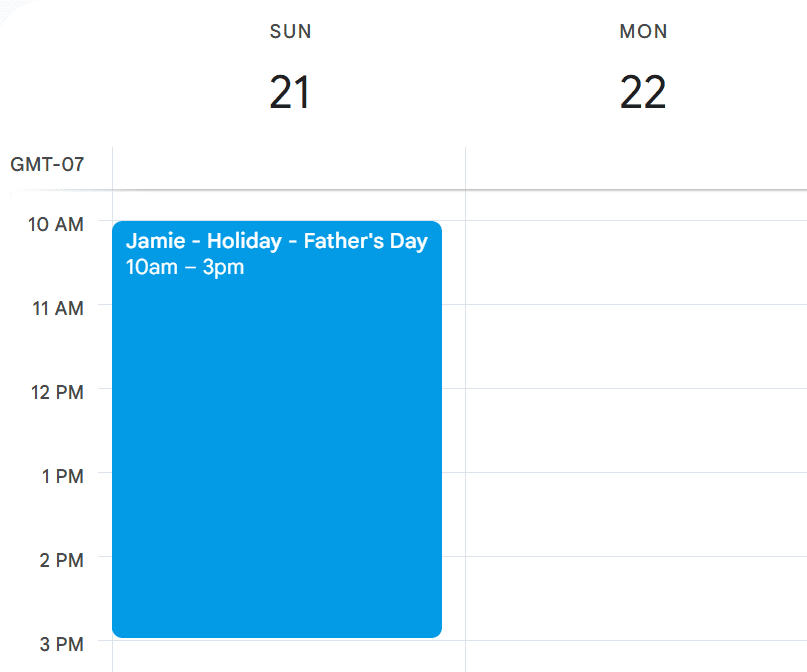
You can also import activities you've scheduled in Custody X Change, like sports practices or dentist appointments.
If you use a calendar other than Custody X Change, you should be able to import from there too. For instance, if you make your custody schedule in Google Calendar, you can view it in Skylight.
Option 2: Make a schedule using your wall calendar
Your other option is to create a schedule using your digital family calendar software.
Some parents only enter the times when they exchange their child. This can be quicker than entering who has the child at every moment.
If you enter full parenting-time periods, you'll be able to see who has custody of your child every day. However, it will make your calendar fuller. You can cut down on calendar clutter by only entering one parent's time — you'll know that any unmarked time belongs to the other parent.
Some parents don't want their kids to see the custody schedule, so they use an emoji or ambiguous phrase as the event name (e.g., here or there). But kids benefit from knowing when they'll be with each parent, so transparency is generally best.
Getting everyone to use the calendar
Once you have your co-parenting schedule loaded onto your digital wall calendar, the goal is for your family to check the calendar often. Here are ways to make that happen.
For your kids:
- Make the calendar part of your family routine. You could look at the day's agenda at breakfast or go over the next day before bed.
- Put your kids in charge of their own calendar entries.
- If your smart calendar has a countdown feature, turn it on for big events (e.g., a holiday or party). The number of days to go updates daily. Kids love it!
- Have multiple calendar displays around the house.
- Update your screensaver often. Even better, involve your child.
For your co-parent:
- Don't call or text about events. Stick to using the digital family calendar.
- Put a provision in your parenting plan agreeing to use the calendar.
- Encourage your co-parent to get a digital wall calendar for their office or anywhere that would help them.
- Look at the calendar together during custody exchanges or on calls.
If you are the digital-wall-calendar advocate in your family, set an example of checking the calendar regularly. Be patient and consistent in encouraging your family members. Once you get your co-parent in the habit of using the Skylight, Cozyla or Hearth, your kids will likely follow suit (or vice versa).
Other co-parenting uses for your digital calendar display
Digital wall calendars include other features to keep your family organized. These ones are particularly useful for co-parents.
- Routines: Maintain routines at both houses by using the same checklists and rewards.
- Screensaver: Help the kids feel close to the parent they're away from by adding photos of that parent.
- Weather: Decide what to have your kids pack for their visits.
- Feelings: Have your kids log their feelings via emojis on Hearth. This helps with healing after divorce and keeps both parents informed.
- Lists: Collaborate with your co-parent on birthday wish lists, school supply lists and more.
- Meal planning: Share recipes so your kids never whine about preferring the other parent's version of a meal.
The easiest way to manage co-parenting
The Custody X Change online app has the tools you need to stay on top of all the moving parts of co-parenting.
Track expenses so you get reimbursed
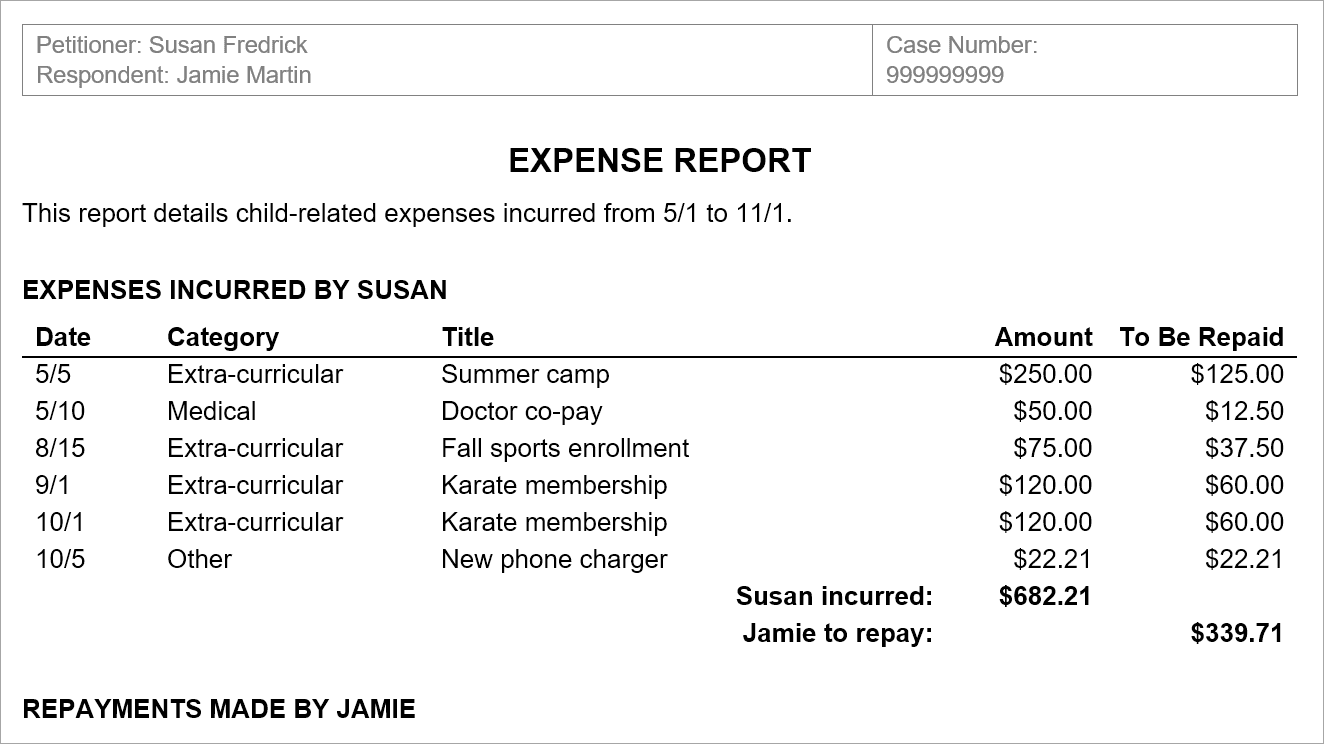
Store your child's info in one convenient place

Message your co-parent to encourage civil conversation
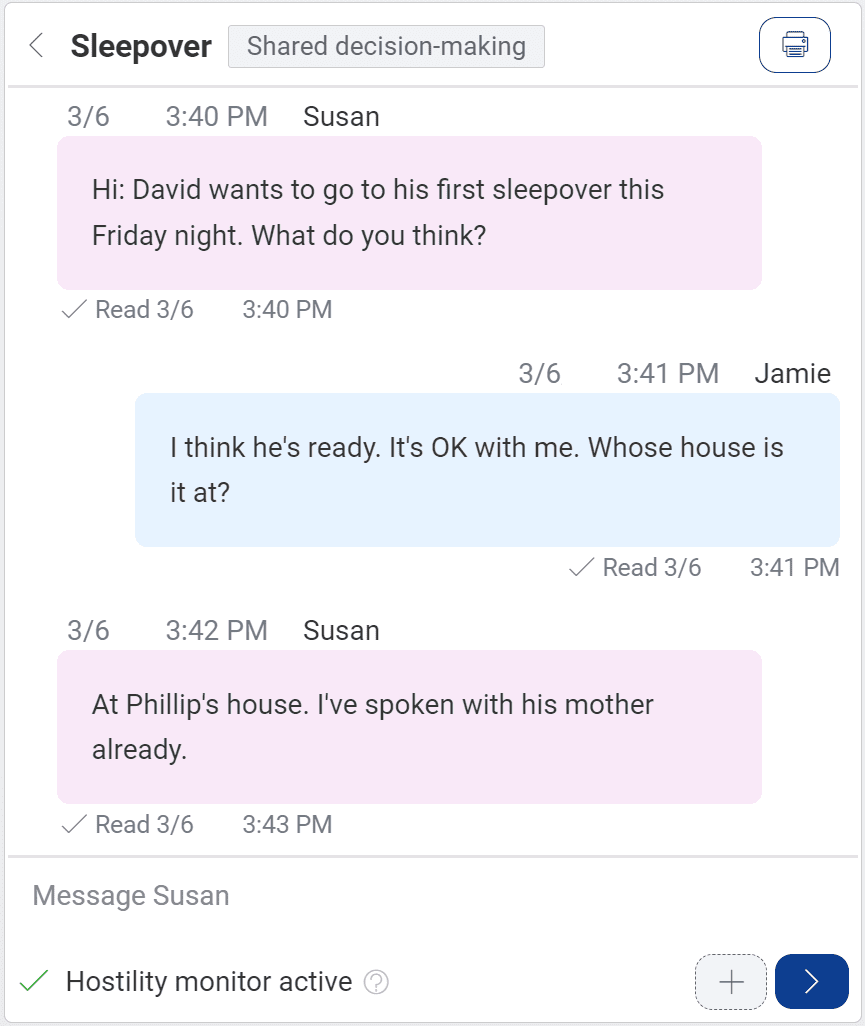
Use Custody X Change in tandem with your digital wall calendar to co-parent the best you can.