
How to Prepare for Child Custody Mediation
Before you attend custody mediation, you should prepare so you can explain your ideas for your schedule and plan.
Here are four things you can do to prepare for mediation. You can do them all in the Custody X Change app.
1. Explore schedule ideas
Exploring schedule ideas and looking at them in the calendar helps you find options to bring to mediation.
 Try this with Custody X Change.
In mediation, you and the other parent can look at the different schedules and give input about what will work. You can make changes and combine ideas until you find a good schedule for your situation.
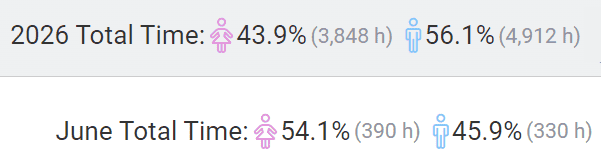
The timeshare calculator shows you the parenting timeshare percentage as you make a schedule. You can use this as you create schedules and also to show the other parent how much parenting time they'll get with various schedule ideas.
2. Look at provisions to include in your plan
Provisions are rules or guidelines in your plan to help your plan work better and to help the parents divide and share parental responsibility.

You can look at provision ideas before going to mediation to help you:
- Prepare to discuss important topics for your plan
- Think about problems and possible solutions
- Decide on rules or provisions you want to include in your plan
3. Provide visuals of your schedules and plans
You can present documents at mediation to show and describe your ideas.
You can print the following documents as you prepare:
- Parenting time calendars
- Lists of parenting provisions for the plan
- Complete plans with a written schedule and provisions
- Timeshare percentage reports that show the time each parent has the child
You can print multiple copies so the mediator and other parent can see what you're explaining when you present your plan.
If you and the other parent are meeting multiple times, the other parent can take your documents home to think about and write notes or questions. You can also easily make changes to a schedule or plan based on input from the other parent and print out new documents to review.
4. Track your current arrangements
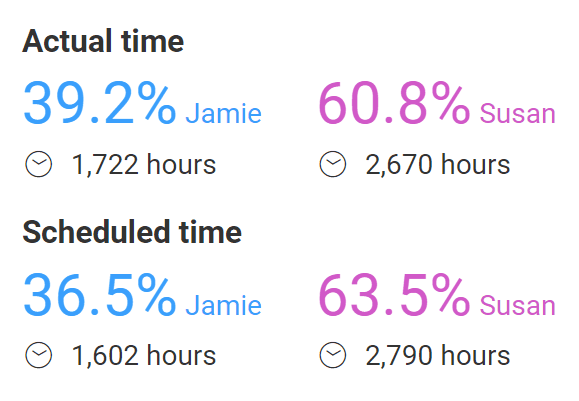
Before attending mediation, you can track your actual parenting time to see how well your temporary schedule is working. This will show you how much you're having to give up scheduled time with your child or take on extra time.
You can also and keep a custody journal about your situation.
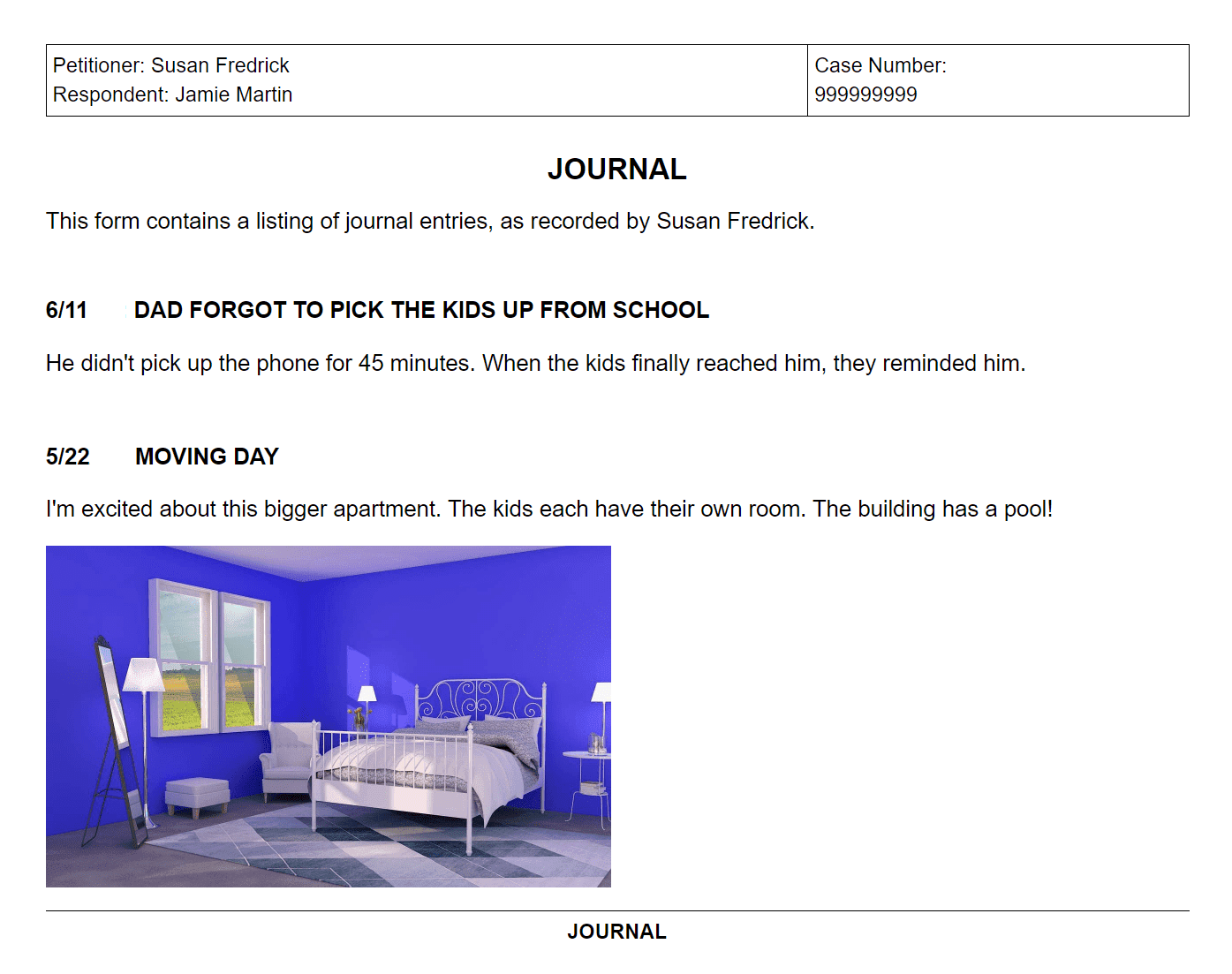
Bring this information to mediation to support your plan and schedule ideas.
What not to say in child custody mediation
Mediation is usually confidential, so you don't need to worry about saying something that could hurt you in court. (There are exceptions to confidentiality, most commonly in California court-ordered mediation, so confirm with your mediator.)
Of course, what you say in child custody mediation can affect your co-parenting relationship and your child's upbringing.
The most important thing to remember is that mediation is a place for collaborating not arguing. Don't say anything just to provoke or hurt the other parent.
In addition:
- Don't bring up issues unrelated to future parenting.
- Don't yell, call the other parent names, curse or lie.
- Don't focus on the other parent (e.g., "You always do this."). Focus instead on your own perspective (e.g., "I prefer this.) or, even better, on the child's.
- Don't mention your new partner unnecessarily.
- Don't give vague ideas. Come prepared with specific suggestions, as well as reasons for them.
Other tips for making mediation successful
Here are some tips for making your mediation session successful:
- Ahead of time, write down issues you want to discuss.
- Get enough sleep the night before.
- Bring multiple plan and schedule ideas to discuss.
- Bring documents like work schedules and your child's school schedule.
- Listen to the mediator and the other parent.
- Be courteous, calm, and professional.
- Be willing to compromise on your plan and schedule.
- Focus on your child's best interest as you make decisions.
Staying organized
Throughout mediation — and your entire custody case — you'll need to organize a lot of information. You may need to create multiple drafts of parenting plans and schedules, track your expenses, message the other parent civilly, and more.
The Custody X Change app enables you to do all of this in one place. With a parenting plan template, custody calendars, an expense tracker, parent-to-parent messaging and beyond, Custody X Change makes sure you're prepared for whatever arises in your journey to custody and visitation.
Take advantage of our technology to stay on top of all the moving parts of your case.