Custody Toolbox Review
By April Bowen, 5/6/09
Disclaimer: This review should be treated as advertising material, and is brought to you by Custody X Change.
Is Custody Toolbox the software you need for your custody situation?
To help answer that question, I've done an in-depth review of the program to see what it offers. And, to give you a better idea of how the software compares with other products on the market, I compare it to the custody software Custody X Change. This should help you know what program will best suit your needs. The short answer to the question is that Custody Toolbox feels like an uncompleted project. It doesn't let you set up a complete calendar and the mediocre tracking options don't make up for that. The program falls very short in many aspects and isn't worth purchasing. In contrast, I'm very impressed with Custody X Change and I think the program delivers a product that would help many divorced parents. Read on for my detailed report.
Custody Toolbox
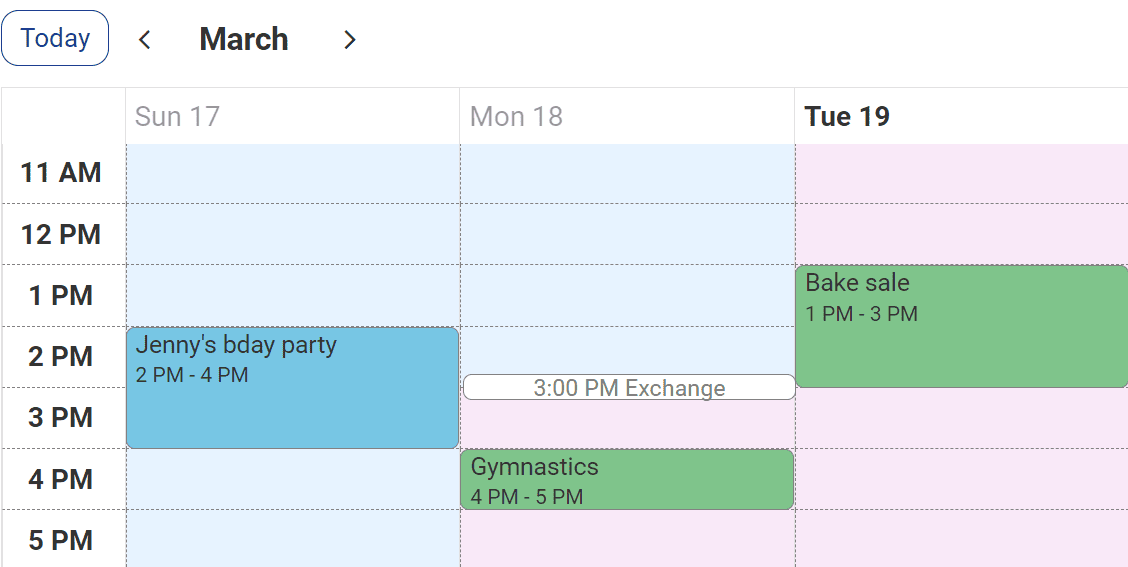
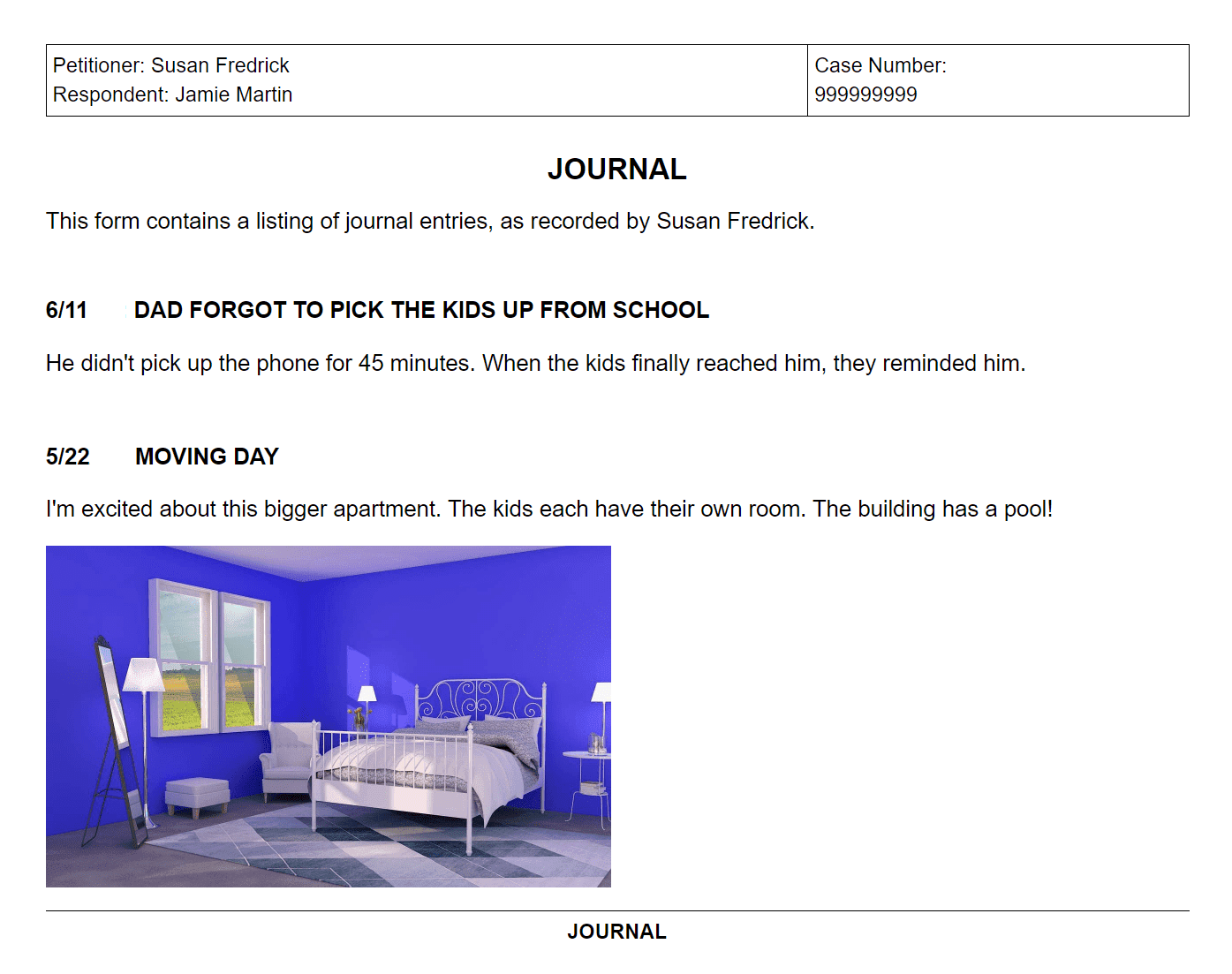
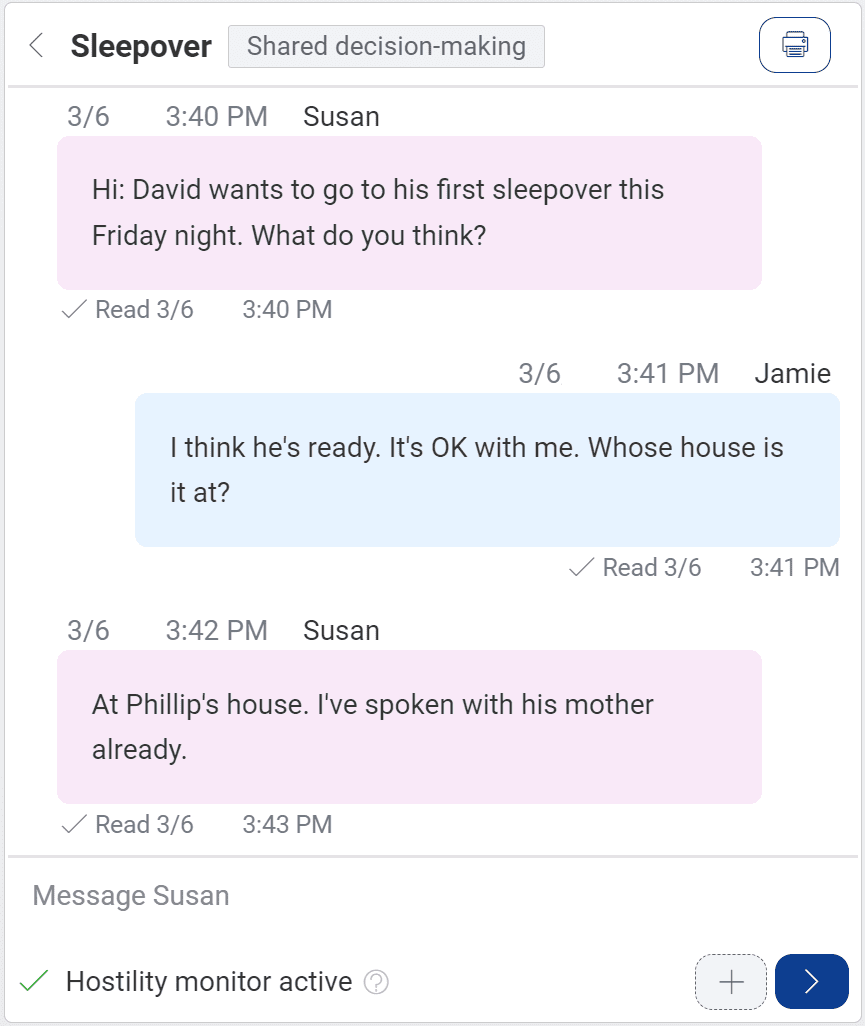
Custody Toolbox is a piece of custody software that claims it can help you organize your child custody information. This is an ambiguous claim that actually goes along with the program because the software overall doesn't seem to have a direct purpose. The assortment of features that it offers is a random mix, as though the software designer couldn't quite decide what type of program to make. Should it help a parent with their custody schedule? Or let them make a to do list? The program attempts to do both, and as a result all of the features are mediocre at best. Here's a comprehensive look at what the program offers. 1. Make A Limited Custody Calendar. When the program opens up, you are directed through a set of wizards to create your custody schedule. ![]() ![]() You pick your schedule from a very limited list--I think there should be more options--and then you go through wizards for your option. Depending on what main schedule you choose, you then pick who the Custodial parent is, the days and times of visits, and the date range of the calendar. ![]() I like the look of this calendar, and after my schedule was completed I was excited to add more info--like holidays, vacation time, special events, etc. The huge failing of this program is that there isn't much else you can do with the calendar. You can click on the individual days and add events, but the process is time-consuming, tedious and confusing. If you want to add an event (the only way to make any changes to the schedule), you can click on the day or go to the Edit tab and choose Add New Event. This box comes up: ![]() You type in the name of the event and pick the day. Then you get this box: ![]() I tried to schedule in the holiday Memorial day. I wanted to give the holiday to mom. This turned out to be very complicated. First I deleted the 7:00 pm exchange time already put in. Then I changed the caregiver for the day, but it didn't let me put in any times (Memorial day was on a Sunday--a day that dad had in his schedule. I needed to note that dad would drop off in the morning). On the calendar it just showed mom as having the whole day. So, I then put in that it was a shared day. The program still didn't let me put in times--I had to allocate the number of hours for each parent. ![]() I wanted to put in a 8:00 am pick up/drop off but all I could do was put in that dad had 8 hours and mom had the rest. This is very annoying and frustrating to fill out. And then there are no times on the calendar so it doesn't even help! And, this is process you have to go through for every holiday or any other event that changes the schedule. It makes it very difficult to come up with a flexible schedule. This is everything you can do with the calendar. The feature is very disappointing. There isn't a way to come up with a complete custody and visitation schedule and the limited resources the program offers are hard to figure out and not very worthwhile. This really needs improvements. 2. Tracking/Journals You can see in the shot above of the calendar that there are six buttons on the side of the screen. These are the other options in the program. The program lets you click on the day to add some journal entries. You can create an entry for a journal, an expense log and a mileage log. Under the journal entry there is the nice touch of choosing a category.![]() This is a helpful way to keep track of important information. When you add the entries, they look like this. ![]() Once the entries are added, there is a little symbol on the day of the calendar where there are extra notes. 3. Store Child Information The next button down on the screen is a place to write in information about your child. ![]() You can put in your child's social security number, birthday, school information, and medical information. There is also a place to type in the holiday schedule. I was glad to see this somewhere in the program--but it really should be part of the calendar. So, not only do you have to add all of the holidays in manually in the calendar, then you have to go through and type it all out for a record. 4. Address Book and To-Do List The program gives you a place to store contact information. ![]() And make a To-do list. ![]() ![]() These, along with the child info, are nice enough features but not good enough to warrant purchasing the program. The calendar setup isn't advanced enough to want the program for that reason and a to-do list will not help a parent get more time with their child. And, getting more time with one's children is (or should be) essentially the purpose of any child custody software. 5. Reports The program lets you print off the documents you created. ![]() The calendar prints off much like the screen. The journal reports look like this. ![]() You can also print off a time-share percentage. This is a useful feature. It would be better if it showed the daily calculation though. ![]() You can also print the child information, your contact list and your to-do list. 6. Pricing / Customer Support Custody Toolbox costs $49.95. They offer a free 15 day trial to test out the program. Other customer support includes a Help file, FAQ page on the website and an email address for questions. 7. Final Thoughts Overall, the program seems unfinished and doesn't deliver. Too bad the programmers didn't spend some more time developing each feature, because it probably could have been a decent program. As it stands right now though, there are definitely better options for your money.
Custody X Change
Custody X Change is a software program that lets you create an entire parenting plan and custody agreement. Before I show you the features, I want to emphasize that the interface is very user friendly. It was so easy to figure out and use the program--such a nice change from most software! Here are the features: 1. Creates a custody and visitation schedule that includes your vacation time, holidays, and special events. The program is built on layers so it is easy to add each schedule to your calendar. This also makes it really easy to change things because if you change something (like the start day of your schedule) it doesn't mess up the days. ![]() The first layer is the repeating cycle. On this screen you can choose from along list of default plans or custom make your own. You choose the day to apply the repeating cycle and you can choose a default exchange time. ![]() ![]() You can then go to the vacation tab and either schedule in an vacation times, or include an unspecified vacation clause in your agreement. ![]() The holiday schedule is very simple to add. You go to the list of holidays and click what parent has custody that day. You can set the times of the holiday and even extend the holiday for several days. The list of holidays is very inclusive--it has pretty much every holiday for a school-age child. You can also create any holidays you want. ![]() Along with holiday and vacation time, you can add any type of special event. You can put in one-time events or recurring special events. The program's interface really shines here. You can simply click on any day and drag to the times you want to event or visitation to last. It's so easy! You can also type in the times. You can see the special events that I've added in. This calendar is really great. You could easily print it off and use it as a reference (you can print as many months as you'd like), you could email different suggestions to the child's other parent (and it's fine if you need to make any changes because it's so easy), you could come up with some ideas and show your attorney and you could easily show it in court. It's comprehensive so that any court would be impressed with the information. This can help parents figuring out their custody situation, preparing for court, or who already have everything scheduled and just need reminders of pick up and drop off days. 2. Takes your schedule and creates a custody agreement using legal jargon. You end up with a very nice looking document that explains the repeating schedule, outlines vacation time and shows the holiday schedule. You can easily submit this to court or give it to your attorney to use. ![]() 3. Keeps track of time-share and overnight percentages. At the bottom of the calendar, it shows you the time-share percentage the child has with each parent. This is nice because you know exactly how much time you are getting with your child, and it is also very important for your child support payments. Pretty much every state uses either the time-share percentage or overnight percentage (Custody X Change calculates both) to calculate child support. These numbers are also extremely difficult to calculate without software. Many courts and attorneys don't even bother to come up with the right amount. They make a guess. With Custody X Change though you have the exact amount--so you can make sure you are paying the right amount of child support. And, you can experiment with different custody and visitation schedules (which will impact the time-share percentage) so you can lower your support payments. This is a great feature. And you can print out a very professional looking report of the time-share percentage. It shows the calculations for every day and then gives a total at the end. ![]() ![]() 4. Includes Parenting Provisions in your custody agreement. Divorced parents have more to worry about than just the custody schedule. They also need to think about any stipulations or provisions that need to be included in the agreement. Things that specify if a parent needs to keep the other parent updated with a current address. Or if the other parent should be notified if a parent gets the child a passport. Custody X Change includes a long list of parenting provisions that you can read through and check if you want included in your parenting plan. ![]() (these are just the first few provisions--there is quite a long list to choose from) Once you check the provision, it prints out like this: ![]() 5. Reports All of these reports create a thorough, professional child custody agreement or parenting plan. The information can be exported to Microsoft Word and PDF if you need to make any changes to them. Parents can use this to prepare for mediation and court and even save money in legal fees because they can create the documents they'd normally pay a lawyer to create. 6. Pricing / Customer Support Custody X Change has a few versions and ranges in price from 147 to 297. You can download a free 30 day trial so you can see how the program can help you. For customer support, the program offers a Help file and page, FAQ page, online videos and tutorials, and an email address and phone number for questions. Quick Overview
A side by side review of the categories I looked at.
Parenting Time
Custody X Change
Here's a link to the custody toolbox website if you want to learn more.
Wrap-up
Recommendation: Overall, Custody X Change is better than Custody Toolbox. The program costs more, but this is a case of paying for what you get. With Custody X Change you get the ease of creating a custom and flexible schedule. You also get a complete and thorough child custody agreement. You can use the program to save money in child support (it's so easy to experiment with different custody plans), save in legal fees (you're doing what you're paying your lawyer to do), and feel absolutely confident about your custody situation. This is the software I would recommend to any divorced parent.
|
|
|