
70/30 Custody & Visitation Schedules: 5 Examples
Here are some common residential schedules where one parent has 70% of the time with the child and the other parent has 30% of the time.
Visualize your schedule. Get a written parenting plan. Calculate your parenting time.
Every weekend
The every weekend schedule has the child living with one parent during the week and the other parent on the weekends.

5-2 schedule
The 5-2 schedule has the child living with one parent for 5 days and the other parent for 2 days.

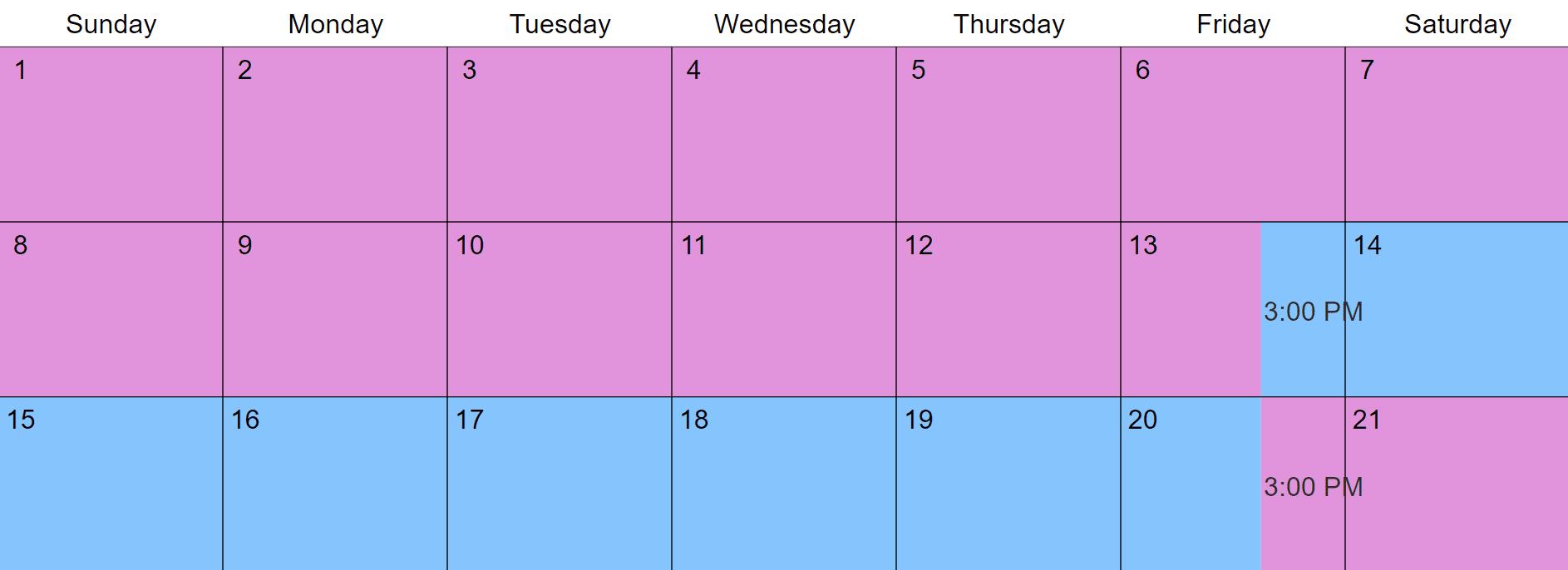
Every 3rd week
The every 3rd week schedule has the child living with one parent for 2 weeks and the other parent for 1 week.
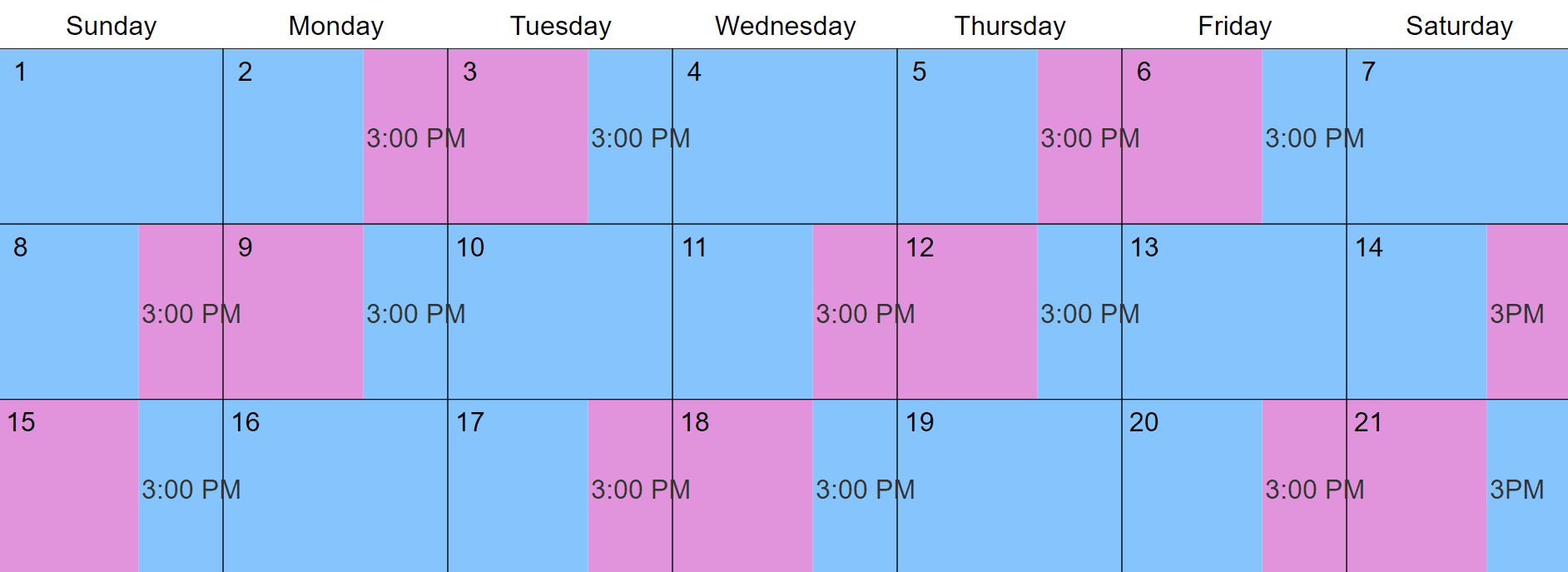
Every 3rd day
The every 3rd day schedule has the child living with one parent for 2 days and the other parent for 1 day.
Alternating weekends
The alternating weekends schedule normally splits time between parents 80/20, but it approaches 70/30 if you insert 3rd party time when your child is at school or daycare.
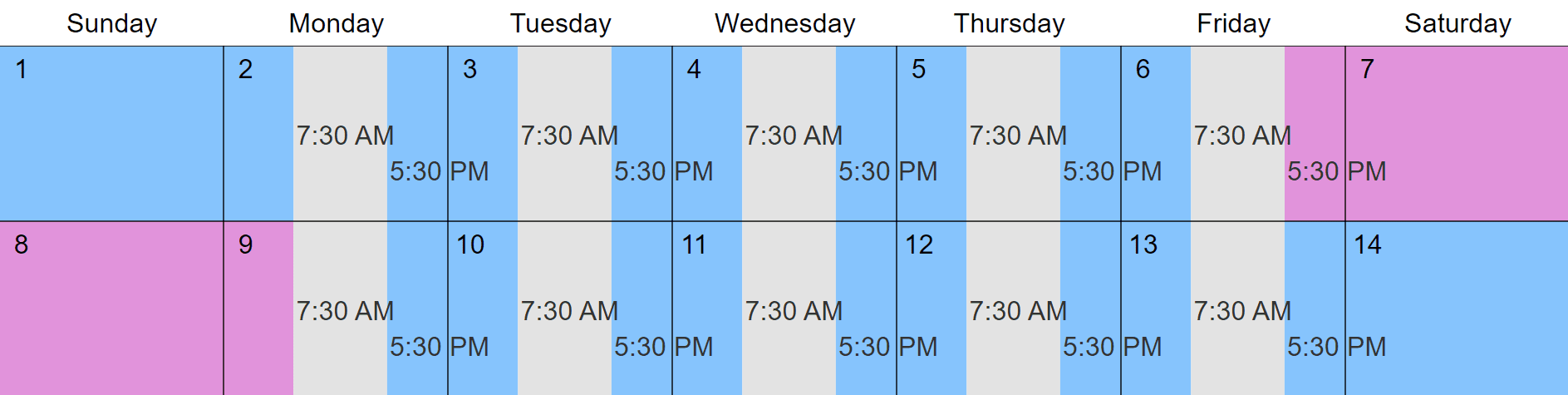
Insert 3rd party time to adjust the timeshare of any schedule. Marking when your child isn't with either parent more accurately reflects quality parenting time.
You can also adjust schedules by changing exchange times, adding visits, divvying up holidays, etc. As you make adjustments, the Custody X Change parenting time calculator shows the effect.
Deciding if a 70/30 schedule works for you
There are many factors to consider when deciding on a custody schedule that will work best for your child. You want your schedule to help your child thrive and maintain a strong relationship with both parents.
70/30 schedules work best when:
- Your child needs a consistent home base
- Parents don't live very close to each other
- One parent has a busy work schedule or travels frequently
- Both parents want to be involved with the child, but a 50/50 or 60/40 schedule doesn't work
- Both parents agree on a 70/30 schedule they think is best for the child
The biggest drawback of the 70/30 schedule is that one parent has significantly more time with the child than the other parent. If a 70/30 schedule seems to be the best one for your child, but you want more balanced parenting time, you can use the holiday schedule or a summer break schedule to give more time to one parent.
You can also add midweek or overnight visits with the parent who has less time in your 70/30 schedule. This will change the parenting time percentages and may help both parents feel more involved in caring for the child.
The parent who has 30% of the time should make an extra effort to stay in touch with the child through phone calls, texting, video calls, etc. This can help you feel maintain an important role in the child's life.
The easiest way to make a 70/30 schedule
There's a lot to think about when you build a parenting time schedule. You'll want it to address holidays and school breaks, give the right amount of time to each parent, and work for years to come.
The Custody X Change app makes it easy. Just follow the steps to make a custody schedule.
On Step 2, select "every weekend," "every other weekend" or "custom repeating rate."
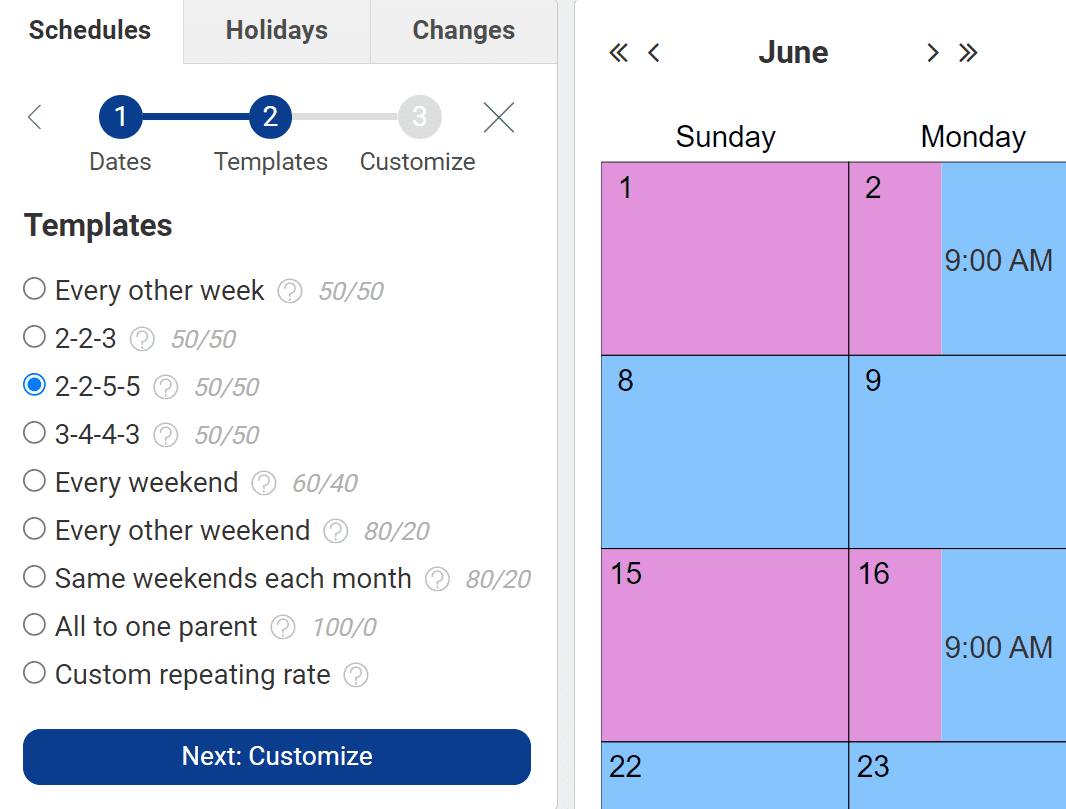
To make a custody schedule quickly and affordably, turn to Custody X Change. You'll get a written schedule and a visual calendar that meet your family's needs, as well as court standards.
Visualize your schedule. Get a written parenting plan. Calculate your parenting time.