Custody X Change Custody and Visitation Journal

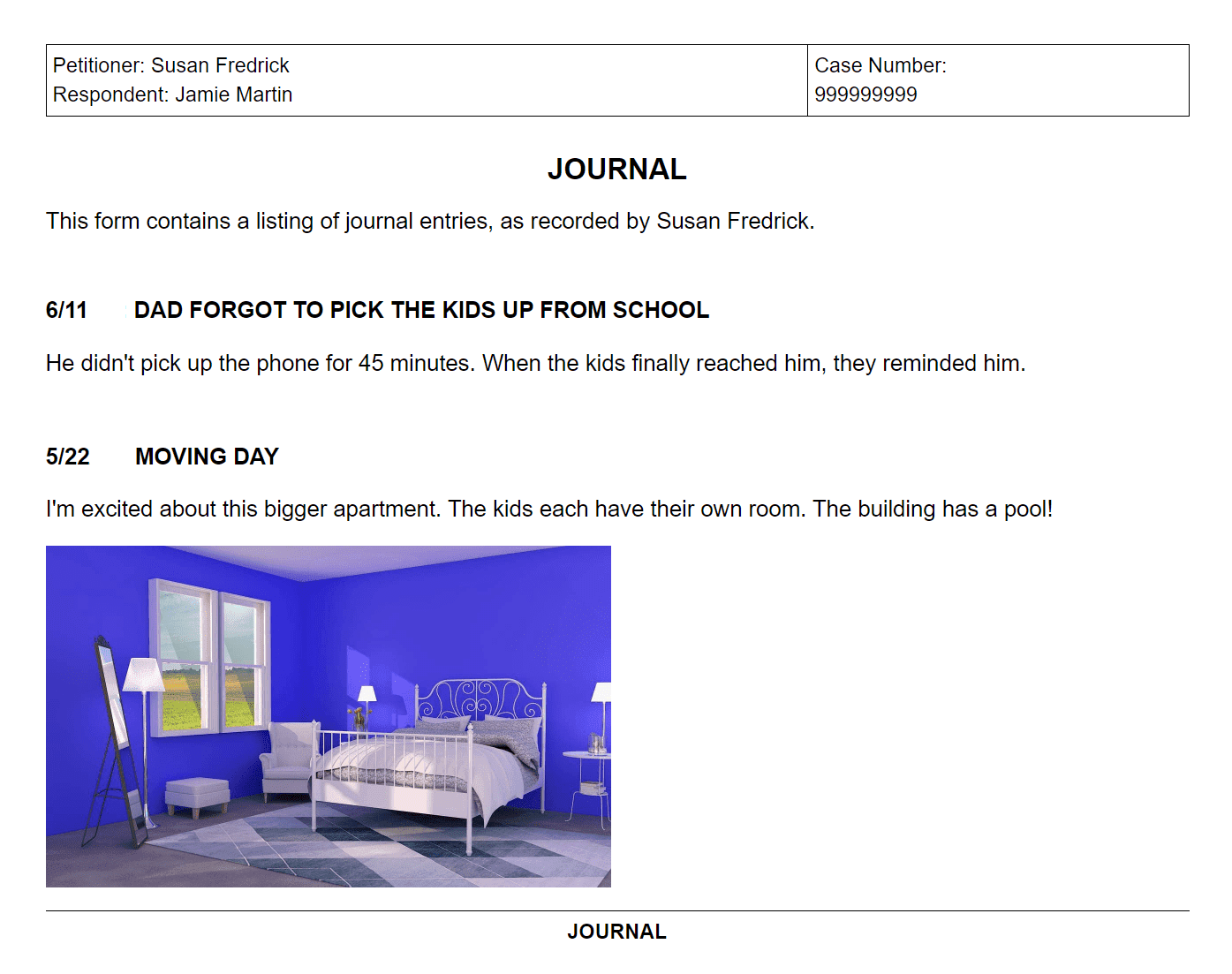
You should keep a custody and visitation journal if you are involved in a custody situation. Your journal needs to contain information about the actual times of visitation along with notes about what happened during your parenting time. You want your custody journal to be well organized and easy to access so that you can keep things up to date.

Custody X Change is software that provides parents with an easy to use custody journal. Use the free download to see how it can help you.

With the software you can:

  • Keep track of your actual parenting time and compare it to the scheduled parenting time,
  • Write notes about what happens during your parenting time,
  • Keep your custody journal organized and easy to access by having one place on your computer where everything is stored, and
  • Modify your agreement using the documents from the program to show that your plan or schedule needs to change.
Track your parenting time

Once your custody schedule is in place you want to make sure that it is being followed. Or, if you are in the process of working out your parenting time schedule, you need to know how much time each parent currently spends with the children. This means that you need to keep track of the actual parenting time so you know how it compares with the scheduled time. Your actual-time records can then go into your custody journal.

Custody X Change makes it easy to track the custody and visitation schedule. You simply enter your schedule into the software, and then you mark the differences in the calendar. As you enter the changes to your schedule in the calendar, the software shows you the difference in parenting time.

Mark the days in the calendar when the parenting time changes.

Keep your journal and write notes

Along with keeping track of your actual parenting time, you should take some notes about what happens during parenting time to keep in your custody journal.

In Custody X Change, you simply go to the calendar, click on a day, and you can write some notes about what happened. Because you have a system and all of your notes are in the same place, it's easy to keep your journal organized and updated. You can also print your journal in an easy to read report.

Click on a day in the calendar and you can write notes.

Print your actual-time documents

Your custody journal and actual-time documents are useful when going to court to get your agreement modified or when working with the other parent. You need to keep your journal organized so that you can easily present your information.

As you track and journal in Custody X Change, you can print reports that show the difference between scheduled and actual parenting time and a report of your journal entries. You can use these reports when modifying an agreement in court or to show the other parent. This can help you and the other parent follow the schedule better or make necessary changes so your parenting plan is better.

Print a report that shows the actual parenting time.

Print a calendar that shows the actual parenting time.

Set up your parenting plan with Custody X Change

Along with being a great journaling and tracking tool once your parenting plan and custody schedule are in place, Custody X Change also helps you create your plan and schedule.

Using Custody X Change to make your parenting plan:

  • Allows you to create a parenting time schedule with a residential schedule, a holiday schedule, vacation time, and special events;
  • Lets you add information about how you will provide necessary care for your child, including how you will divide legal custody;
  • Gives you a list of extra provisions that can enhance your plan;
  • Provides you with the exact parenting timeshare percentage that each parent has with the children;
  • Gives you professional documents that include a calendar of the custody schedule, a written report of the schedule, a list of the provisions, and a detailed timeshare percentage report; and
  • Lets you sync the custody calendar to your Blackberry, iPhone, Palm/PDA, Outlook, Google Calendar, Yahoo Calendar, Windows Live, etc.

Custody X Change is a great tool for handling your custody situation. You can use the software to help you create your parenting plan and then continue to use it to track and journal after your plan is in place. This helps you focus on getting the right plan for your children and allows you to enjoy your time with them.

Custody X Change is the leading software for creating and managing custody agreements.

Download it for Free

I can't thank you enough for the software. The Parenting Plan passed with flying colors in the courts and with my ex. Now the best part is that I am using the deluxe edition to adjust and record my times. Thanks again.

Gabriella Selmi
Granbury, TX

Without this software, I would have signed the proposed agreement and found out about the problems and conflicts only after it was too late. Custody X Change took the raw data I had stared at for days, and in a few minutes, gave me a crystal clear picture of the resulting schedule. Custody X Change is a must-have resource for parents and attorneys working with visitation issues.

Doug Conway
Fargo, ND

Try Custody X Change for Free:

No credit card required. Nothing to cancel.
*Custody X Change is Windows-only software. See the FAQ for information about Macs, tablets, & phones.
*You'll receive the download link in your email so you can download it to your Windows computer later.

What you get:

The free download does everything except printing, exporting and calculating.

Close