How to Make Your Child Visitation Schedule

How do I make my visitation schedule?

You can create your own visitation schedule (on your own or with the other parent) or you can work with an attorney or legal professional and have them create it. If you don't want to pay the high cost of an attorney, and want to easily make your own schedule, you can use the Custody X Change software.

Custody X Change is software that creates visitation schedules and professional parenting plan documents. Use the free download to see how it can help you.

You can also use Custody X Change to:

  • Explore options for your visitation schedule
  • Negotiate a schedule and agreement with the other parent
  • Show your attorney schedules that you like
  • Prepare sample schedules and plans for mediation
  • Make a schedule and plan to present in court

This short video explains how you can create a custom schedule using Custody X Change.

What should I consider when I make my schedule?

As you think about each part of the schedule, you should reflect on what will benefit your child and what your child needs.

Here are some factors to consider that will influence how you make your schedule:

  • The age and maturity of your child
  • How well your child adapts to new situations and environments
  • The physical, emotional, and social needs of your child
  • Sibling or extended family relationships that are important to your child
  • The capability of each parent to meet the needs of your child
  • The current relationship between each parent and your child
  • Where your child currently lives and the length of time your child has lived there
  • The distance between the parents' homes
  • Your child's school and community environment
  • The parents' work schedules and
  • The past care giving roles of each parent

Focusing on what is best for your child will help you put aside your own interests when making difficult decisions about parenting time. This will give you a schedule that helps your child adjust to the new family situation. You can also address these topics in your parenting plan.

What goes into my visitation schedule?

Your visitation schedule is made up of:

  • The residential or everyday schedule: this is the weekday/weekend routine of where your child spends time.
  • The holiday schedule: this is the schedule that shows where your child will spend holidays.
  • Vacation time and special events: this is the schedule your child follows when not in school, when special events arise, or when the parents take the child on vacation.

The residential or everyday schedule

To make your residential schedule, you must first decide where your child will live.

You can have a joint custody and visitation schedule or a sole custody schedule. In a joint schedule, your child spends time living with both parents. In a sole custody schedule, your child lives with one parent, the residential parent, and visits the other parent, the non-residential parent.

Some example joint visitation schedules are:

  • Your child rotates every week or two between your home and the other parent's home
  • A 3/3/4/4 or 2/2/5/5 schedule where your child spends 3 or 2 days with you, then spends 3 or 2 days with the other parent, then spends 4 or 5 days with you, and then spends 4 or 5 days with the other parent
  • Your child spends multiple evenings and overnights in the week with both parents;
  • Your child lives mostly with one parent during the school year and lives mostly with the other parent during school breaks
  • Your child spends the first half of the week with one parent and the second half of the week with the other parent
  • As well as other custody arrangements

Some standard visitation schedules for sole arrangements are:

  • Your child lives with one parent during the week and visits the other parent on the weekends
  • Your child visits the non-residential parent on alternating weekends, or some other weekend schedule
  • Your child visits the non-residential parent during evenings and on alternating weekends
  • Your child visits the non-residential parent overnight during the week and also on the weekends
  • Any combination of weekday evening and overnight visits with weekend time.

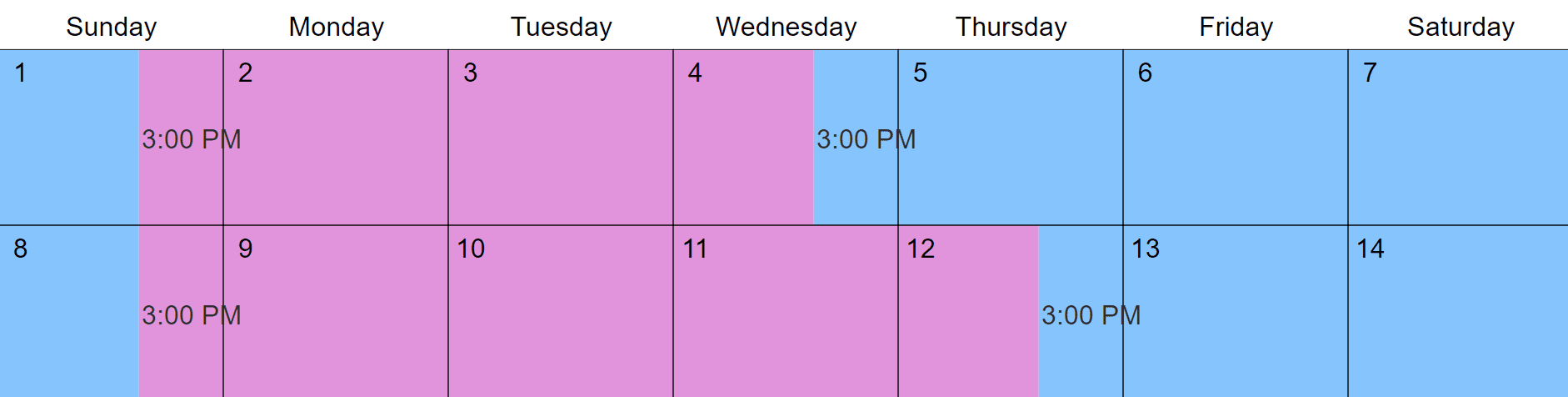
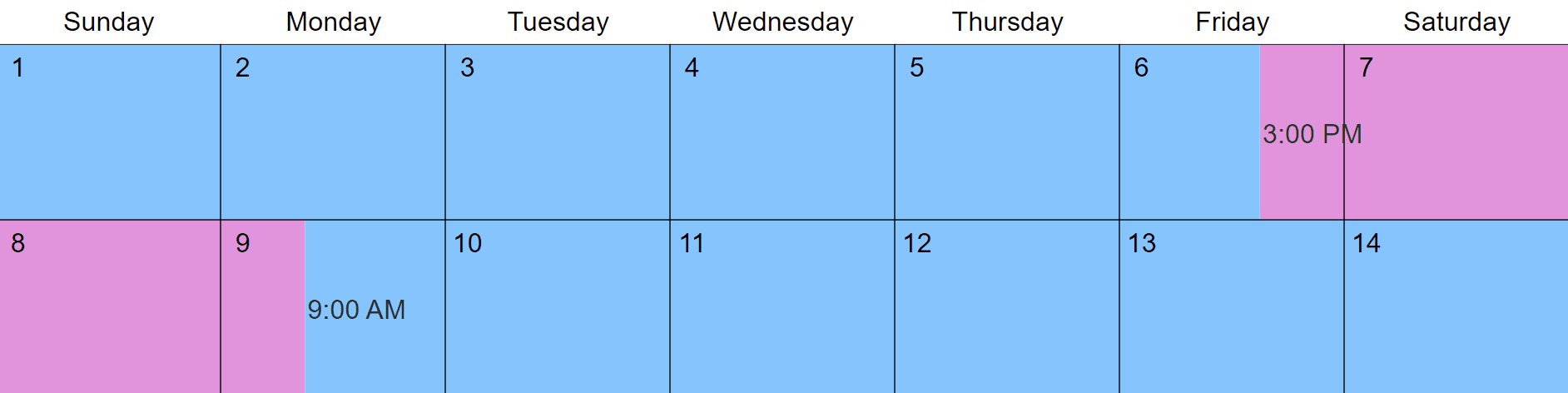
To make your residential schedule you only have to come up with a 1-4 week parenting arrangement. Then, you can repeat this schedule throughout the year. This will help your child have a solid routine so they know where they will be all of the time.

Custody X Change provides sample residential schedules to choose from that you can modify to fit your situation. You can also make your residential schedule from scratch. The software then applies your repeating schedule to the whole year and you can see how it looks in the calendar.

When creating your schedule with Custody X Change, you can:

  • See the timeshare percentage of both parents
  • Look at different options for parenting time
  • Create a custom schedule that works for you and the other parent

The holiday schedule

Your visitation schedule needs to show where your child will spend holidays. When thinking about this schedule, you should consider holiday traditions that your child enjoys and try to keep as many of these traditions as possible.

It can be difficult to think of spending holidays without your child, but both parents should have about the same amount of holiday time in the year, and both parents should have about the same number of bigger and smaller holidays.

To make your holiday schedule, you:

  • Come up with a list of holidays you want to include (you may want to look at your child's school holidays when you make this list).
  • Decide the length of the holiday: do Memorial Day and Labor Day mean the whole weekend or only the Monday? Do you want Christmas to be only the day or a few days?
  • Divide the holiday time between the parents. You can split the actual day between the parents, alternate holidays, or do a combination of both.
  • Determine a way to rotate the holidays throughout the years, or decide if you want to make a new holiday schedule every year.

Remember that the holiday schedule has priority over the residential schedule--so, if one parent normally has the child for a day, but the other parent is scheduled for holiday time, the parent who has holiday time gets the child.

To make your holiday schedule in Custody X Change, you simply choose the holidays you want to include and put in the holiday times. You can choose from the list of holidays in the software and make your own holidays. The software then puts your holiday time into the calendar.

Vacation time

You can set up a different residential schedule for your child's summer or winter breaks. These schedules are called vacation schedules. Vacation schedules are a good way to equal out parenting time if one parent has more parenting time during the school year.

You can also add a specified or unspecified vacation to your schedule.

  • A specified vacation means that you put in dates that each parent can take the child on vacation.
  • An unspecified vacation means that each parent is allowed so many days during the year to take the child on vacation and they can take them when they want (of course they have to give the other parent notice).

Custody X Change lets you set up multiple residential schedules for your child's school vacation time. You can also include a specified or unspecified vacation to your schedule. The software puts all of the information into the calendar.

Special events

The last events to add to your visitation calendar are the single or few events where the normal schedule changes. These special events could be a seasonal after-school activity or sport, a birthday party or other occasion, a school field trip, etc.

Sometimes you know about activities that will change the schedule beforehand and you can adjust your schedule accordingly. Other times the special events will just come up and you'll need to make some last minute changes. Be flexible enough with your schedule so you can accommodate the special events in your child's life.

When special events arise, you can easily make changes to your schedule in Custody X Change. Then, you can use the features of the software to stay on top of the new schedule and give the other parent a copy of the new schedule.

With Custody X Change, you can:

  • Print new copies of your schedule
  • Export your information to Word, PDF, or Excel and email the info to the other parent
  • Sync your new custody schedule with your Blackberry, iPhone, Palm/PDA, Outlook, Google Calendar, Yahoo Calendar, Windows Live, etc.
What can I do to make my schedule successful?

Visitation schedule provisions

One way to help your schedule actually work when it is in place is to include visitation schedule provisions in your parenting plan. Provisions are rules or guidelines for how you and the other parent will handle different aspects of visitation, and they can reduce conflict and misunderstanding about the schedule.

Some common provisions that people add to their visitation schedules are:

  • Information for how transportation will be handled for visitation
  • Information about exchanges for visitation
  • How the parents will make changes to the schedule
  • How the parents will resolve disputes about the schedule
  • A system for how the parents will communicate about the child
  • The right of first refusal (this happens when a parent who is scheduled to have the children isn't able to take them--in this situation, the other parent has the first chance to take them instead of getting other childcare)

Custody X Change has a list of provisions (the ones above and others) that you can put in your plan to help visitation work better. You can also write your own provisions to include in the plan.

Tracking actual visitation time and keeping a visitation journal

You may want to track your actual parenting time and keep a visitation journal once your schedule is in place or as you are in the process of finalizing your schedule.

Tracking your actual visitation time lets you know if the schedule is being followed and if it is working. If the schedule isn't being followed, you may need to make some changes to it so it works better. And, if the actual parenting time is quite different then the scheduled time, your child support could change.

You can also keep a custody and visitation journal where you record information about your time with your children. You can use these notes when you communicate with the other parent, or just keep them for your personal records. Many parents find that tracking actual time and journaling help them feel more in control of their visitation schedule.

Custody X Change has an actual-time tracking and journaling feature that lets you:

  • Enter in the actual parenting time and compare it to the scheduled parenting time
  • Print a report that shows the difference between scheduled and actual parenting time
  • Keep a custody journal and write notes about what happens during visitation
  • Print your custody journal
  • Keep all of your tracking information in one place
  • Use the documents from the software to modify your schedule in court or mediation

Custody X Change is the leading software for creating and managing custody agreements.

Download it for Free

I can't thank you enough for the software. The Parenting Plan passed with flying colors in the courts and with my ex. Now the best part is that I am using the deluxe edition to adjust and record my times. Thanks again.

Gabriella Selmi
Granbury, TX

Without this software, I would have signed the proposed agreement and found out about the problems and conflicts only after it was too late. Custody X Change took the raw data I had stared at for days, and in a few minutes, gave me a crystal clear picture of the resulting schedule. Custody X Change is a must-have resource for parents and attorneys working with visitation issues.

Doug Conway
Fargo, ND

Try Custody X Change for Free:

No credit card required. Nothing to cancel.
*Custody X Change is Windows-only software. See the FAQ for information about Macs, tablets, & phones.
*You'll receive the download link in your email so you can download it to your Windows computer later.

What you get:

The free download does everything except printing, exporting and calculating.

Close